
Workflows
Visual workflow automation across your systems, triggered by schedules, HTTP calls, webhooks or data changes, with every run logged.
See this on the STRAX product page →
Act on your data, not just move it
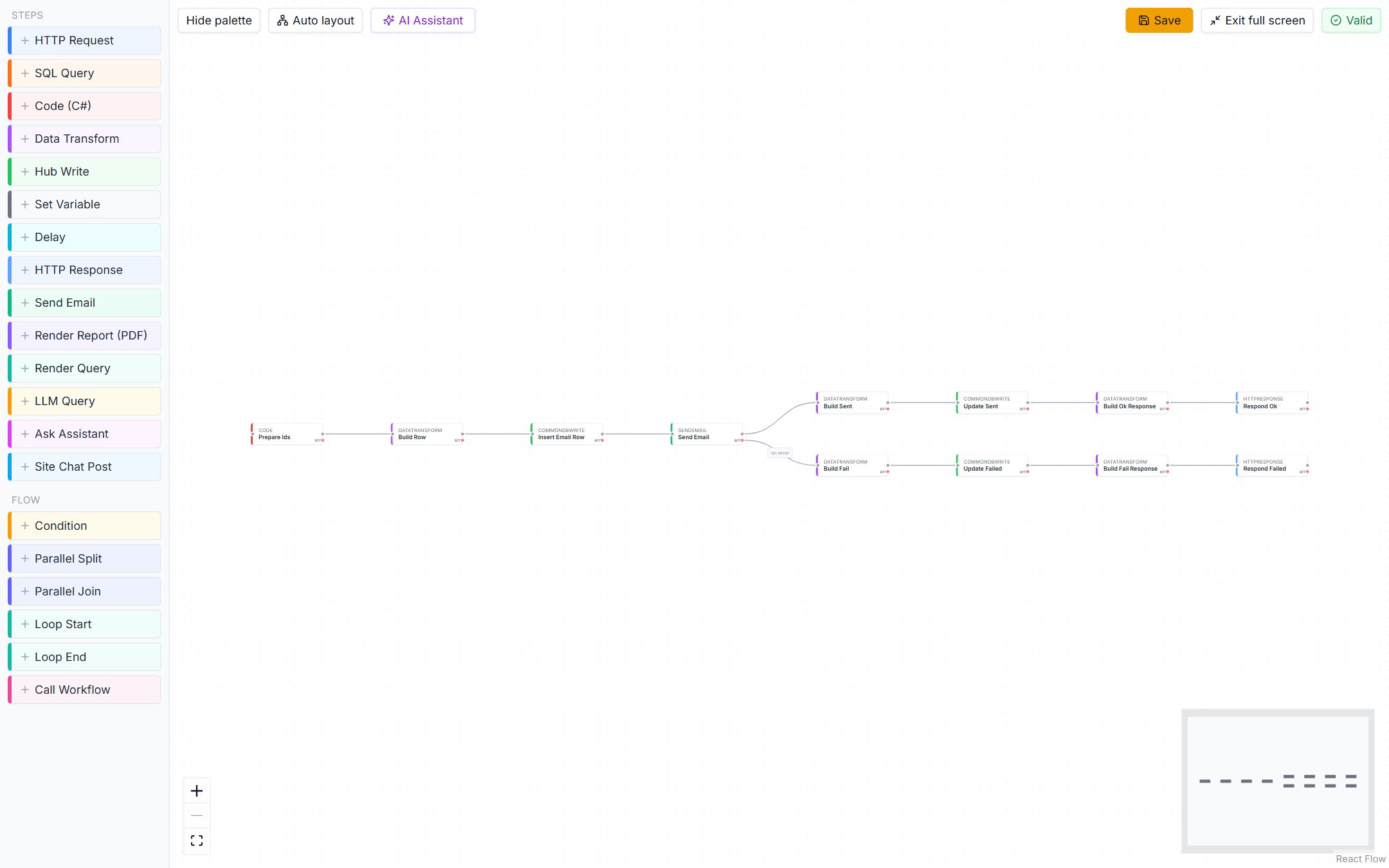
Synchronising data between systems is half the job. The other half is acting on what the data says. Workflows let STRAX respond to events: a new order arrives, so a provisioning task is created; an invoice becomes overdue, so an account manager is alerted; a support ticket closes, so the customer receives a follow-up. A workflow is built visually on a canvas, as steps connected into a flow, and reads well enough that a colleague can follow what it does.
Started by the events that matter
A workflow can be started in several ways.
- On a schedule, from a simple recurrence or a precise cron expression, with the time zone stated explicitly.
- By an incoming HTTP call, so an external system or a webhook from a product such as Shopify or HubSpot can start it directly.
- By a data change, firing when a record in the hub is created or updated.
- Manually, or from another workflow, which suits occasional processes and reusable sub-processes.
Demo ISP uses all four. A nightly schedule produces the operations summary, a Shopify webhook starts order handling the moment an order is placed, and a change to a customer's service status starts the notification flow.
Steps that reach everything
Workflow steps cover the actions an integration process needs. A workflow can call an external REST API with proper authentication, run a saved query, generate a branded PDF report mid-process, transform and reshape data, send e-mail, post chat messages and notify portal users. A step can also put a question to a language model, which suits tasks such as classifying an inbound request or drafting a customer message for review.
Flow control is part of the same canvas. Workflows branch on conditions, run branches in parallel, loop over collections, pause, and call other workflows as sub-processes. Values pass from step to step, so the output of an API call can drive the condition that follows it.
Failures are handled, not hidden
Every step declares what happens when it fails: stop, retry, or continue down a dedicated error path. An error path can send an alert, record the failure or take a compensating action, so a broken process announces itself instead of stopping silently. Retries deal with transient problems such as a briefly unavailable API, with a delay that can grow between attempts and a choice of failing or carrying on once the attempts run out.
Steps are strict by design. A condition that cannot be evaluated, a value that cannot be found or a column the target does not have fails the run with the reason, rather than letting it finish as a success that did nothing.
Your own code, reused safely
Where no ready-made step fits, a workflow can run a short piece of code. That code can call a library your team already owns, or a well-known package from NuGet, without copying files onto servers. An administrator uploads the library or picks the package, and STRAX shows a preview first: every package it would bring in, its licence, and warnings such as a deprecated version or a known vulnerability. Only what the administrator approves is stored.
An in-house package that lives on no public feed can be uploaded as it is. STRAX reads its name and version, applies the same licence and safety checks, and fetches any dependencies it declares from a feed you choose. A package without dependencies never needs a feed at all, so even an installation with no internet access can use one. Each upload is a new, numbered version, and a library exported or packaged for another installation carries its own content, because no feed could supply it there.
A workflow uses a library only when it opts in. Deploying the workflow fixes the exact version it runs, so a newer version never changes a running process until someone redeploys it. Workers fetch libraries from STRAX itself and never reach out to a package source on their own. Two libraries that carry the same component cannot be used together, and the designer says so as you choose them, naming the clash, rather than leaving it to be discovered later.
Runs that scale, in the right order
A workflow is deployed to a pool of workers rather than to a single machine. Every worker in the pool shares its runs, so adding a worker adds capacity, and workers can be added and removed by an autoscaler as the load changes. One server can host several workers, for staging, production or a dedicated pool; the installer sets them up, removes them when you take them off its list, and keeps them running through upgrades. A workflow can be limited to a number of runs at once, so a slow partner system is never flooded, and runs for the same customer or account can be kept one at a time and in order while everything else runs in parallel. Busy workflows share the pool fairly, and under a sudden surge the platform asks incoming calls to come back shortly instead of building an endless backlog.
Every run is logged and repeatable
Each execution is recorded: which steps ran, in what order, what each produced and where the run ended. When someone asks why a customer was e-mailed twice, the answer is in the run history rather than in guesswork. A workflow can be run again with the same inputs, which makes testing and recovery straightforward. Monitoring shows failures and throughput across all workflows in one view.
Workflows move between staging and production with the rest of your configuration, and export to a portable definition, so a proven process can be promoted, shared or shipped as part of a marketplace package.
Where this fits
Workflows sit alongside the synchronisation described in Connecting systems, and they surface to end users through portals, where a button on a page can start one. Workflows that answer HTTP calls can be published to partners as versioned, secured APIs through the API gateway. The AI copilot can propose workflow changes for your review. For the broader picture, start with What is STRAX? or see Getting started.